The AI presentation editor for your PowerPoint files.
Ask for a change. Nebula edits the slides in your .pptx, and you keep what’s right.
Free forever. Mac, Windows and Linux.
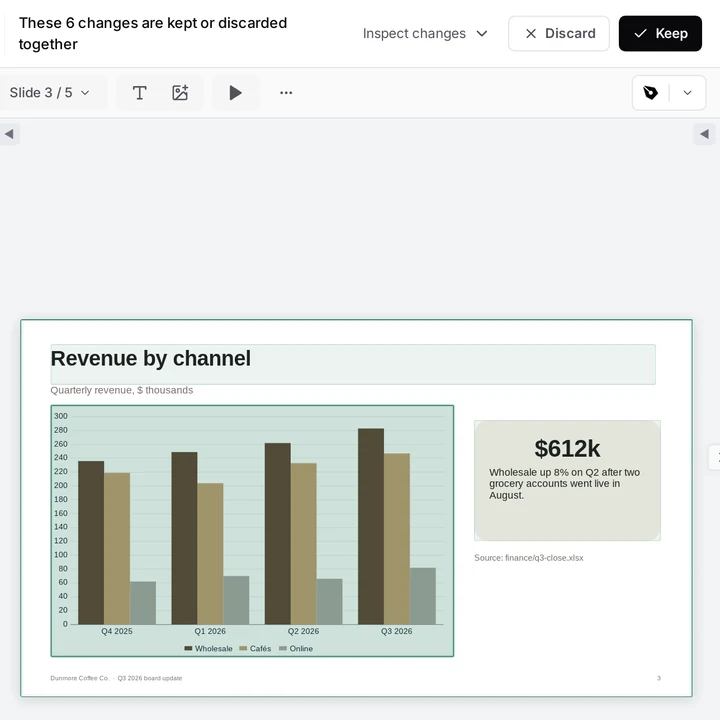
Edit the deck, not a copy.
Nebula opens the PowerPoint file itself. No pasting text back into slides.
Slides stay slides.
Text, shapes, tables and images stay objects you can still edit.
Speaker notes, too.
Add or tighten the notes so the story stays with the slide.
Numbers from your files.
Name a workbook or report in the folder. The agent reads it and updates the slides.
It checks its own work.
The agent can render the slides to check its own work. That needs LibreOffice.
You have the final say.
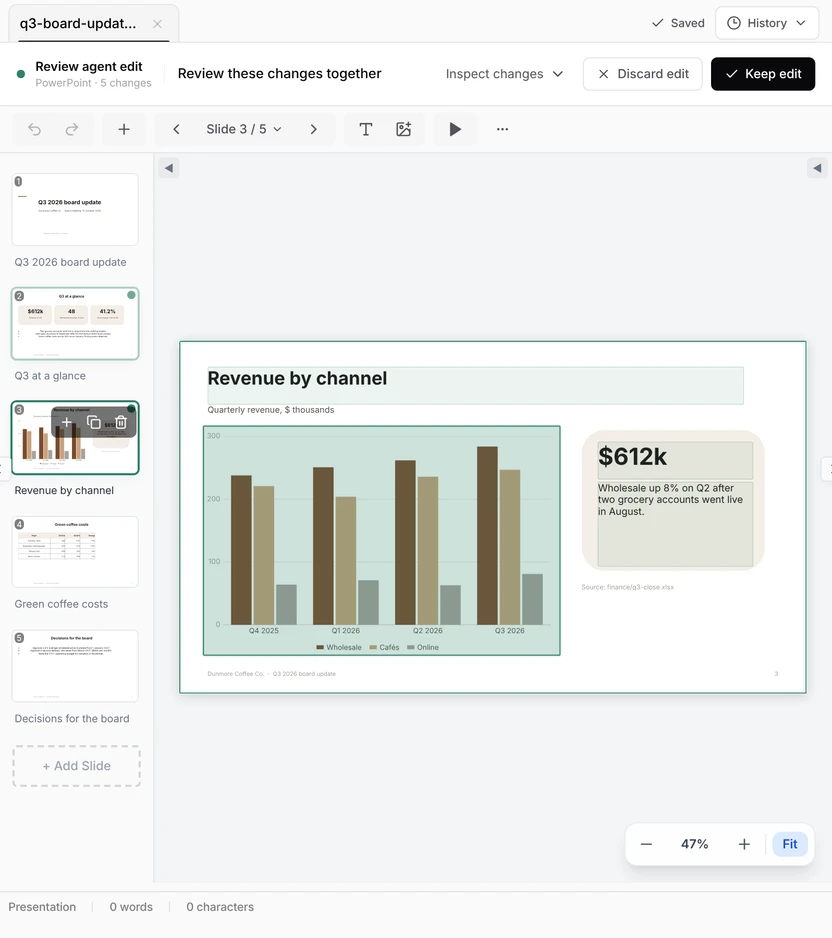
Every change is marked on the slide. Review them together, then keep the edit or put it back.
Marked, not final.
Changed objects stay outlined on the slide until you decide.
Keep or discard.
Keep saves the edit. Discard puts back the exact original.
Too much at once?
Discard it and ask again for fewer slides.
Before you ask.
Can it edit a PowerPoint file I already have?
Yes. Open the .pptx from your folder and ask for the change. Nebula edits that file, and the edit waits for your review.
Does the deck stay editable?
Yes. It stays a .pptx with real text, shapes, tables, images and speaker notes. Nothing is flattened into a picture.
Can it build a deck from a report or a spreadsheet?
Yes. Name the source files, the audience and the new deck, and ask it to leave the sources as they are.
Do I need PowerPoint?
No. Nebula opens, edits and saves .pptx files without Microsoft 365, and exports them to PDF. For a last check of fonts, media and animations, open the deck in PowerPoint.
What leaves my computer?
Your request and the parts of your documents the agent needs go to our servers and our AI provider. Your files stay in your folder.
What does it cost?
$0 forever for the editor and a monthly AI allowance. No card needed. Pro is $15 a month for more AI.
Open a deck. Ask for the change.
Free forever, with a monthly AI allowance. Pro is $15 a month for more AI.
- Read the PPTX guide
Edit a PPTX with AI
Audit the deck first, then revise a few slides at a time.
- See Excel to PowerPoint
Excel to PowerPoint
Put the final numbers from a workbook into your slides.
- Read the report guide
Word report to deck
Turn a long report into a short, editable briefing.