Guide
Edit Excel and PowerPoint files without Office
Free ways to edit .xlsx and .pptx files without an Office plan, where each fits best, and how an AI agent can fix a workbook or deck in place.
- Nebula Writer Team
- October 14, 2026
- 7 min read
You can edit .xlsx workbooks and .pptx decks for free without buying Office. Excel and PowerPoint for the web are the closest match to Microsoft's desktop apps. LibreOffice Calc and Impress edit the files in a desktop app with no internet connection. Google Sheets and Slides edit them inside Google Drive. Nebula Writer adds an AI agent that changes the workbook or deck itself.
This post covers where each route fits and shows two real agent edits. For Word files, see how to edit a Word document without Microsoft 365.
Which route fits
Facts about other products are from their own pages, as of October 2026.
| Route | Better choice when | Know this |
|---|---|---|
| Excel and PowerPoint for the web | Formulas and slides must behave exactly as in Office | Needs a Microsoft account; some desktop features are missing |
| LibreOffice Calc and Impress | You want a full desktop suite that needs no network | Lays out files with its own engine |
| Google Sheets and Slides | Your team already shares files in Google Drive | Some features need a converted copy |
| Nebula Writer | You want an AI agent to make the edit in the file | Office edits are kept or discarded as one decision |
Excel and PowerPoint for the web
Microsoft says Excel and PowerPoint for the web are free to edit with a Microsoft account. Microsoft's own apps are the reference for their formats, so they are the safest place to check formulas and slide layout. Microsoft's platform comparison lists PowerPoint features missing on the web, among them Presenter View, animation triggers and recording a presentation. For live co-editing, Microsoft says to save the deck to OneDrive or SharePoint.
LibreOffice Calc and Impress
LibreOffice is free and open source, with Calc for spreadsheets and Impress for presentations, and it is compatible with Excel and PowerPoint formats. Its getting started guide says you can "open and work with Microsoft Excel workbooks and save them in Excel format," and it runs on Windows, macOS and Linux. It is the best fit for long editing sessions on a computer with no network.
Google Sheets and Slides
Google's help page says Office files uploaded to Drive can be edited directly, and that changes are saved in the original Office format. Its Excel and Sheets guide says this works in the Chrome browser only, suggests staying in Excel for rare chart types such as pie-of-pie, and gives a limit of 20 million cells.
Nebula Writer for workbooks and decks
Nebula Writer is a desktop app for macOS (Apple silicon), Windows and Linux. Open a folder with Open Folder, then open the file.
- Workbooks open in a grid with a formula bar, sheet tabs and charts. You can type in cells, insert rows and columns, merge cells and add a chart.
- Decks open with slide thumbnails, a canvas and speaker notes. You can edit text, add text boxes, images, shapes and tables, reorder slides, and present with Shift+F5.
In the Nebula Agent pane you can ask for changes in plain words. In a workbook the agent writes or repairs formulas, changes number formats and column widths, adds sheets, rows and columns, and adds or updates native Excel charts. In a deck it moves, resizes and rewrites shapes, fixes overlapping text, adds or reorders slides, edits speaker notes and updates tables and charts in place. It reuses the fonts, colors and styles already in the file. More detail is on the AI spreadsheet editor and AI presentation editor pages.
When the agent finishes, a review bar appears: Review workbook edit for Excel, Review agent edit for PowerPoint. Inspect changes lists each change with its Before and After. Keep edit keeps the whole edit, and Discard edit puts the file back exactly as it was. You can't keep some changes and discard others in an Office file, so if part of an edit is wrong, discard it and ask again with a narrower request.
The AI runs in the cloud. Your request and the parts of your documents the agent needs are sent to our servers and our AI provider. Your files stay in your folder.
Two real edits
On October 3, 2026 we ran the agent on small sample files we built for testing. Each folder also held an archive copy of the file, which stayed exactly as it was.
Excel: a rate shown as a fraction
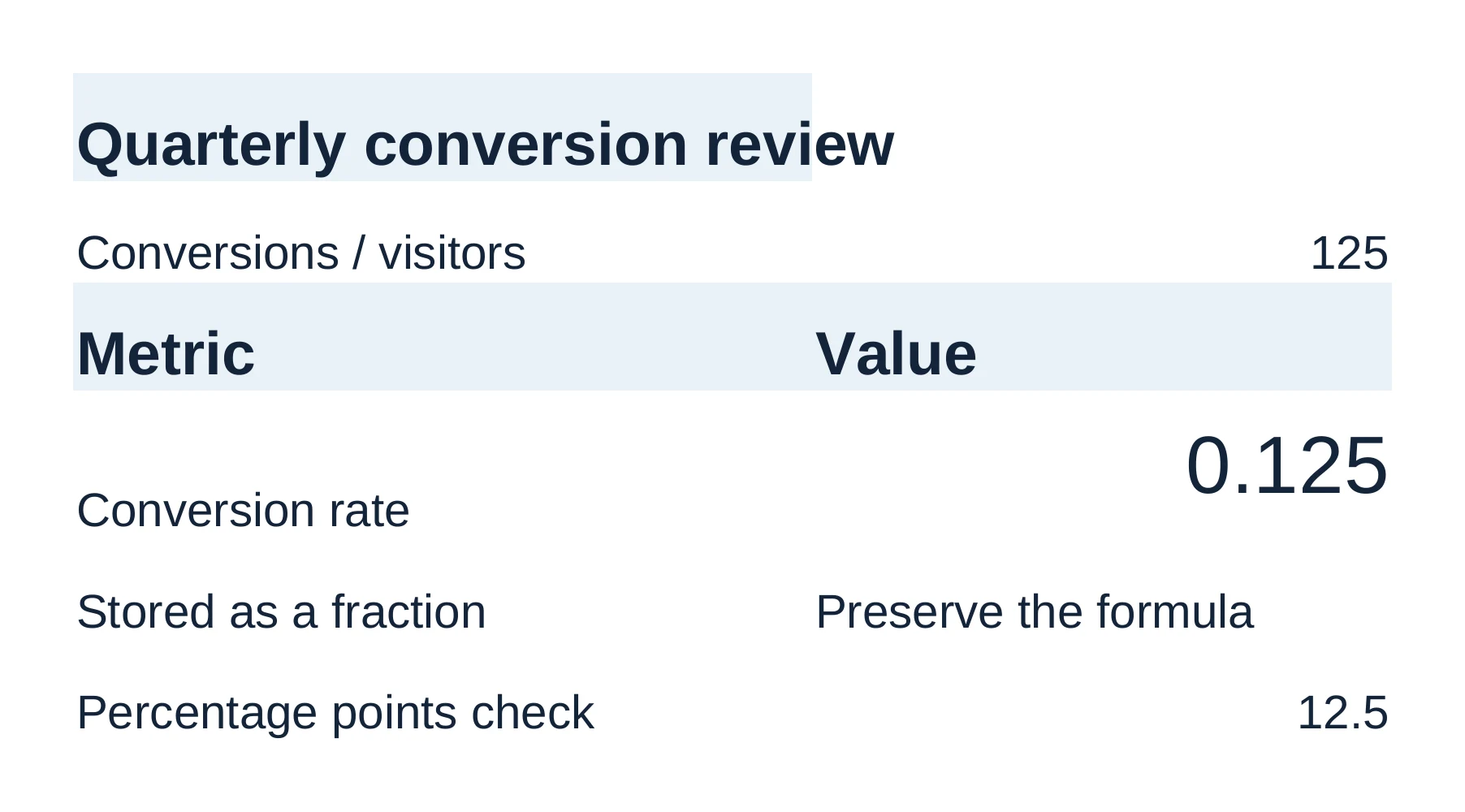
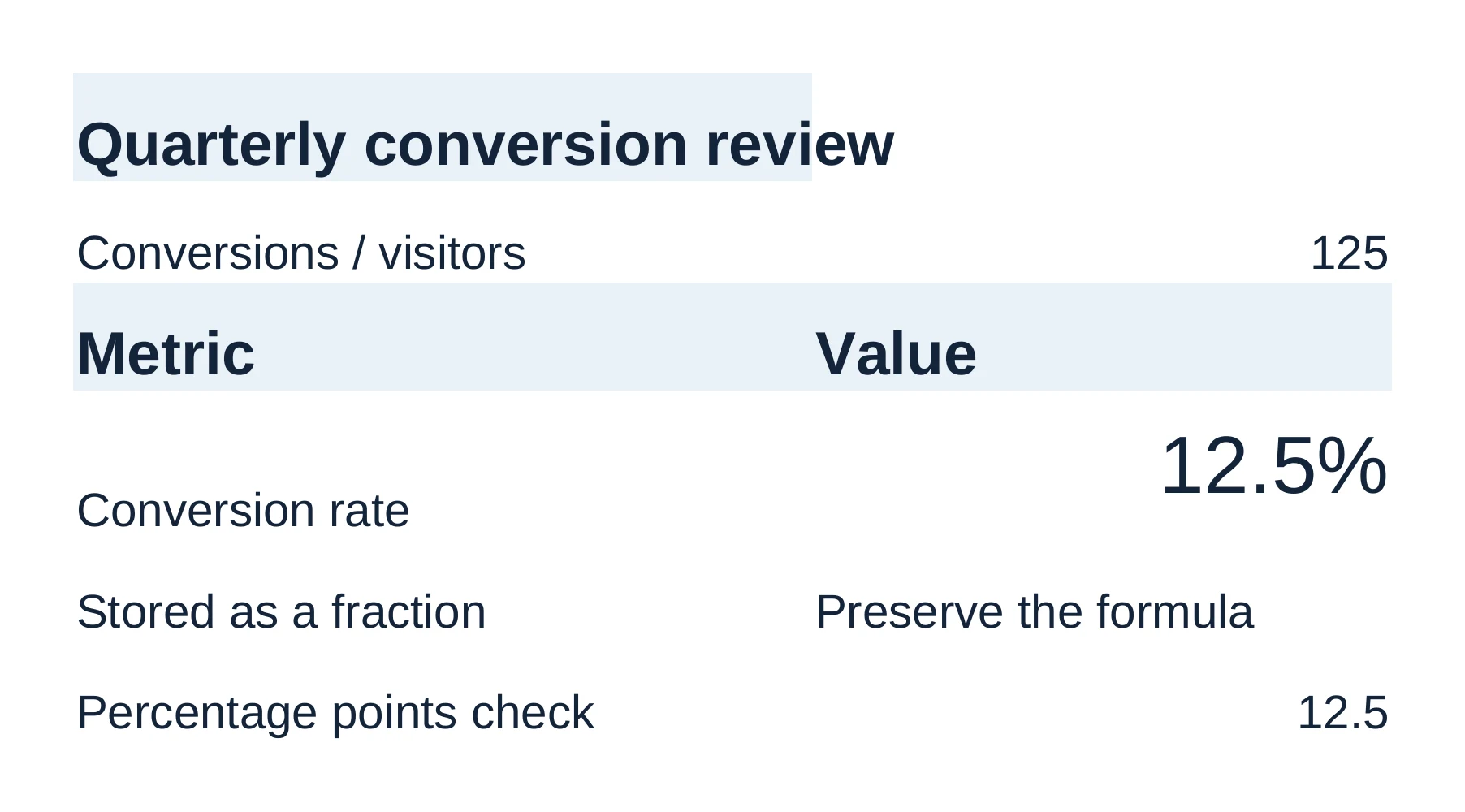
On the Review sheet, cell B4 ("Conversion rate") held =B2/C2 and displayed 0.125.
Prompt
Review layout-review.xlsx and make the conversion rate display as a
percentage with one decimal place. Keep the formulas, stored values, other
formatting, and workbook layout unchanged. Check the saved appearance before
telling me it is ready. Leave the Archive sheet and archive copy alone.
B4 now shows 12.5%. The formula is still =B2/C2 and the stored value is still 0.125. Only the cell's number format changed.
PowerPoint: overlapping text
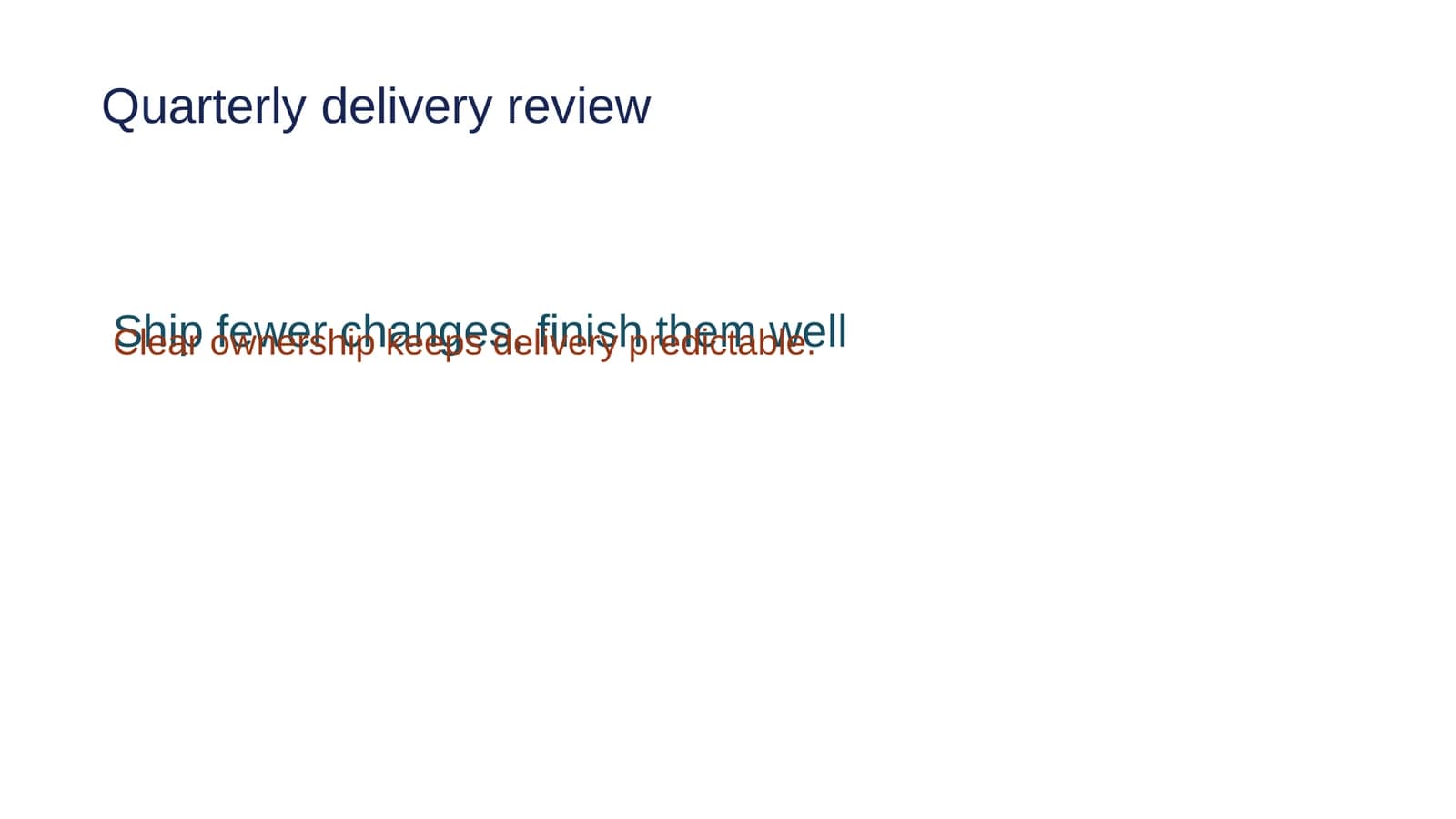
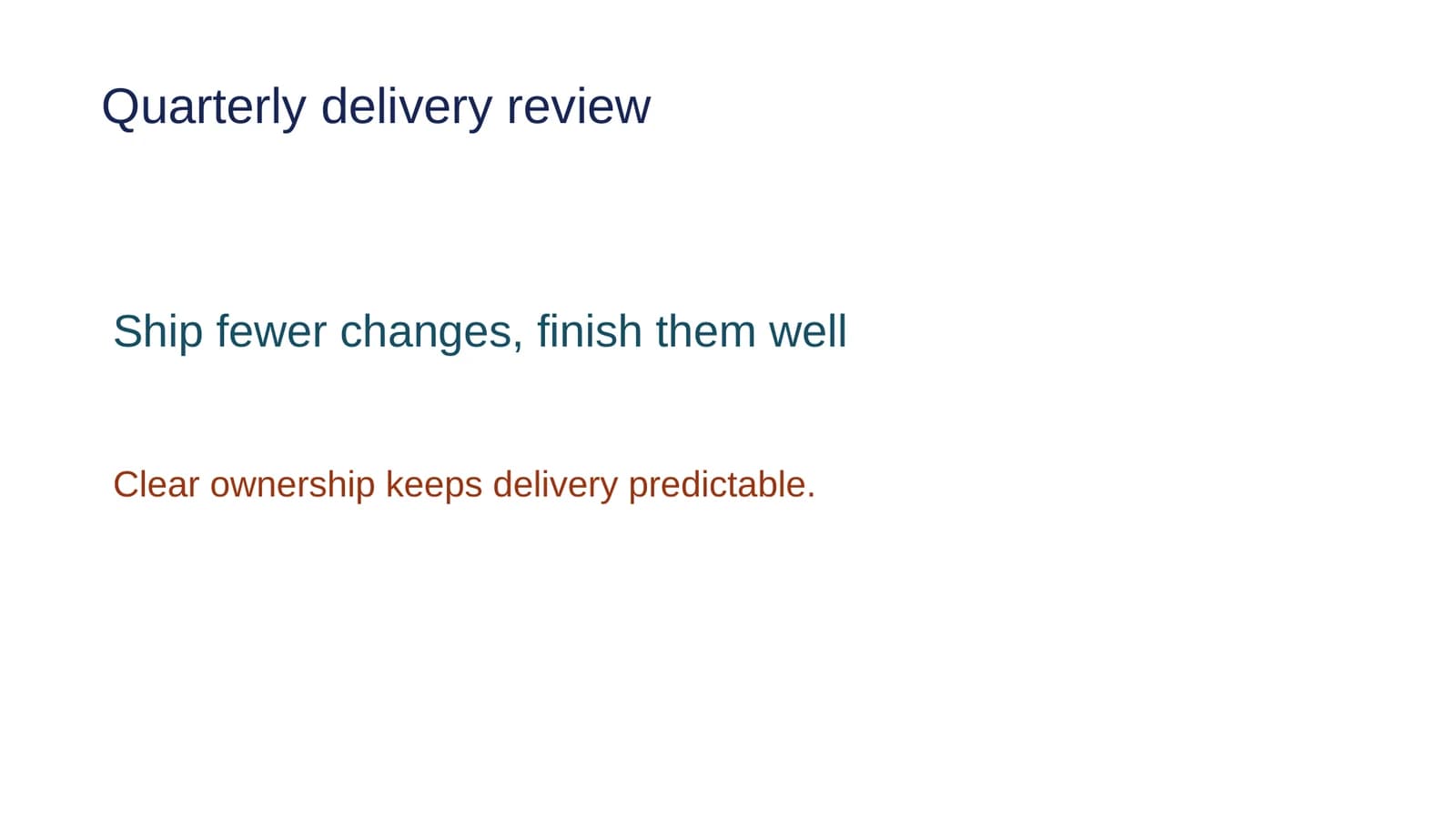
On slide 1, the body text "Clear ownership keeps delivery predictable." sat on top of the headline.
Prompt
Review the saved appearance of layout-review.pptx and fix the overlapping
text. Keep all wording, fonts, colors, and text-box sizes unchanged, and
preserve the rest of the deck. Check the saved result before telling me it
is ready. Leave the archive copy alone.
The agent moved the body text box 1.30 inches down. Its size, text, fonts and colors stayed the same, and slide 2 was not touched.
Prompts for your own files
Prompt
Look at @budget.xlsx and tell me which sheets hold inputs, formulas and
summary tables. Point out totals that are typed numbers instead of
formulas. Don't edit the workbook.
You should see the answer in the agent pane and no review bar.
Prompt
On the Summary sheet of @budget.xlsx, make the total row a formula that
adds every item above it. Keep the inputs, number formats and other sheets
unchanged.
You should see a Review workbook edit bar with the changed cells highlighted in the grid.
Prompt
Check slides 2 to 6 of @review.pptx for overlapping text, shapes off the
slide and text smaller than the rest of the deck. Fix only what you find on
those slides, and keep the wording, fonts and colors.
You should see a Review agent edit bar on the deck. Inspect changes shows each moved or resized shape.
For a longer walkthrough on decks, see how to edit an existing PowerPoint deck with AI.
Honest limits
- Legacy .xls files are read-only. Nebula Writer opens them, but neither you nor the agent can overwrite one. Use Save As to make an .xlsx copy and edit that.
- CSV holds values only. A .csv file can't store formulas, formatting, charts or more than one sheet. Save as .xlsx when you need those.
- Some Excel functions aren't calculated. If the Some formulas need attention banner appears, a few formulas keep the value saved in the file. Recalculate in Excel before you rely on them.
- Slide renders need LibreOffice. The agent can look at rendered slides only when LibreOffice is installed on your computer. Without it, the agent still edits the deck but can't see the result as an image.
- Slides are drawn by Nebula Writer's own renderer. Uncommon fonts, media, animations and transitions can look different in PowerPoint. Open important decks there, or in PowerPoint for the web, before you present.
The spreadsheet guide and presentations guide cover each of these in more detail.
Related
- Edit a Word document without Microsoft 365
- Nebula Writer vs. Microsoft 365 Copilot
- Turn an Excel workbook into a PowerPoint deck
Microsoft, Excel and PowerPoint are trademarks of Microsoft Corporation; Nebula Writer is not affiliated with Microsoft. The editor is free forever with a monthly AI allowance. Pro is $25 a month for more AI. Download Nebula Writer.