The AI LaTeX editor that compiles on your computer.
Write beside the PDF. Ask the agent to draft, fix an error or check a citation, and keep what’s right.
Free forever. Mac, Windows and Linux.
Your project, compiled here.
Projects are ordinary folders. Nebula compiles them on your computer, not on a shared server.
Source and PDF.
Edit, Split or Preview. Double-click the PDF to jump to the line.
Packages as needed.
Tectonic fetches what a document uses. Add TeX Live when you need more.
Errors explained.
Cards explain the first problems in the log, with Fix with AI.
Citations from your .bib.
Ask the agent to use only keys that already exist in your bibliography.
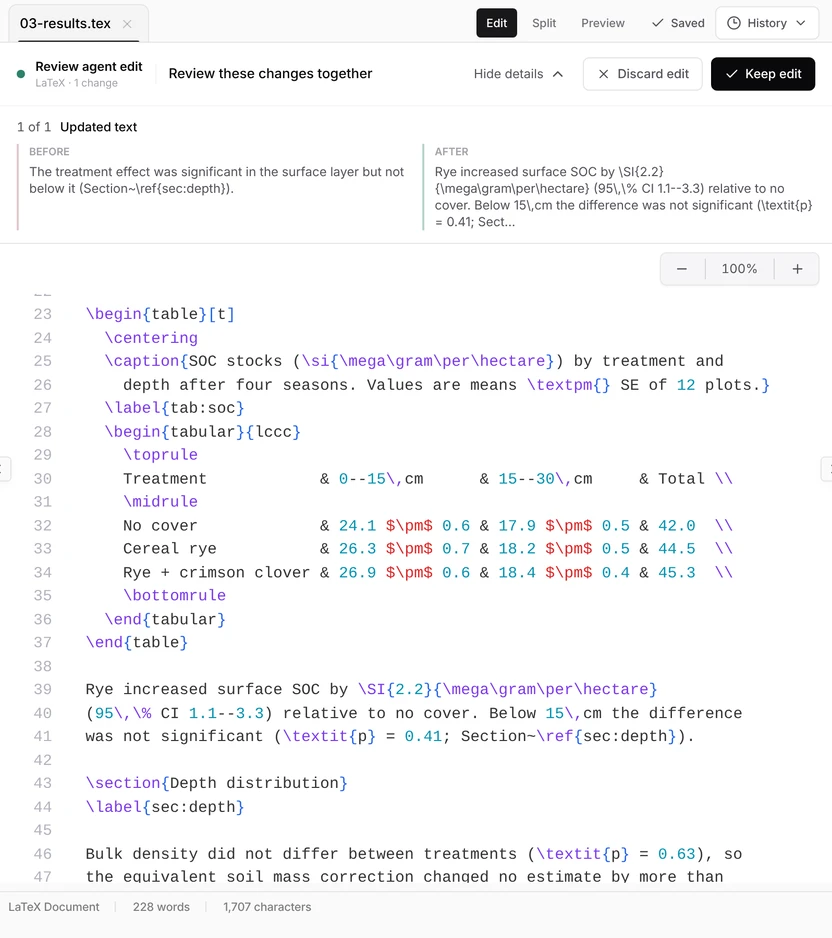
You have the final say.
Inspect each change with its before and after text, then keep the edit or put the original back.
Compiled before you decide.
Ask the agent to compile after the edit, and read the PDF before you keep it.
Keep or discard.
Keep saves the edit. Discard puts back the exact original.
Labels and keys stay.
Ask it to keep labels, citation keys and structure, then compile to check.
Before you ask.
Does it compile on my computer?
Yes. Nebula Writer includes Tectonic, which fetches the packages a document needs. For packages Tectonic doesn’t provide, install the managed TeX Live from Settings.
Can it fix compile errors?
Yes. When a compile fails, the error card can send the log to the agent with Fix with AI. Ask for a diagnosis first, then the smallest fix, and the agent compiles again to check.
Can I keep some changes and discard others?
Most agent edits are kept or discarded as a whole. Because LaTeX is a text format, the review bar can also offer Keep and Discard for single changes. If only part of an edit is right, discard it and ask again for a narrower change.
Can I move my Overleaf project?
Yes. Download the project from Overleaf as a zip, unzip it into a folder and open the folder. Nebula Writer finds the main file of a multi-file project.
What leaves my computer?
Your request and the parts of your documents the agent needs go to our servers and our AI provider. Your files stay in your folder.
What does it cost?
$0 forever for the editor and a monthly AI allowance. No card needed. Pro is $25 a month for more AI.
Open a project. Ask for the change.
Free forever, with a monthly AI allowance. Pro is $25 a month for more AI.
- Read the comparison
Nebula Writer vs. Overleaf
Where each fits, and what changes when LaTeX compiles on your computer.
- Read the guide
Common LaTeX errors
What eight common errors mean, and the smallest fix for each.
- Read the thesis guide
Write a thesis in LaTeX
Folder layout, a main.tex skeleton, a bibliography that works and backups.