News
Microsoft 365 went down. Break free from Microsoft with Nebula Writer.
On November 12, 2026, Outlook, Teams, SharePoint and Copilot went down worldwide. Keep your Word, Excel and PowerPoint files in your own folder and edit them with Nebula Writer, no Microsoft 365 plan needed.
- Nebula Writer Team
- November 16, 2026
- 6 min read
Microsoft 365 went down. Your documents shouldn't go down with it.
On Thursday, November 12, 2026, Microsoft 365 failed for a large part of the world. Outlook mailboxes stopped loading, Teams calls dropped, and SharePoint sites and Copilot stopped answering. For many organizations the disruption ran into Friday.
If your work lives in Microsoft's cloud, a day like that means waiting for someone else to fix it. It's a good moment to ask whether your documents should depend on one company's servers at all.
Nebula Writer is a desktop editor for Word documents, Excel workbooks, PowerPoint decks, LaTeX and Markdown, with an AI agent built in. Your files stay in a folder on your computer, and you don't need a Microsoft 365 plan to edit them.
What happened on November 12
Facts are as of November 16, 2026. Microsoft hasn't published its full post-incident report yet.
- When: Microsoft's advisory, MO1550821, says the incident began at 1:26 PM ET (18:26 UTC) on November 12, according to BleepingComputer. Exchange Online mailbox problems in the Americas were reported earlier that day.
- What broke: Microsoft said customers might be unable to connect to Exchange Online, Teams, SharePoint Online, Microsoft 365 Copilot and Defender XDR. Downdetector users also reported problems with OneDrive and Azure.
- How far: Wikipedia says issues were reported in more than 70 countries, including at government agencies and hospitals.
- Why: Microsoft told BleepingComputer it was a technical issue, not a cyberattack. A problem from an earlier network capacity upgrade surfaced after a more recent network change. Servers dropped out unexpectedly, and that overloaded the ones still running.
- How long: Microsoft reported broad recovery on November 13. Service was reported fully restored by the morning of November 14.
Your files, in your folder
When your documents exist only in SharePoint or OneDrive, an outage there can lock you out of them, even if Word, Excel and PowerPoint are installed and working on your computer.
Nebula works differently. You choose Open Folder and edit the files inside it. They stay ordinary .docx, .xlsx and .pptx files on your disk. Opening them doesn't depend on SharePoint or OneDrive being up. You can copy the folder, back it up, put it in Git, or open the same files in Word or LibreOffice whenever you like.
Breaking free from Microsoft doesn't mean leaving its formats behind. Your colleagues can still open everything you send them.
Everything you use Office for, in one app
- Word documents. Pages with their margins, headers and footers, plus a toolbar for styles, fonts, lists, tables and images. The agent can edit paragraphs, headings, tables, comments, tracked changes and page numbers, using the styles already in the document.
- Excel workbooks. A grid with a formula bar, sheet tabs and charts. The agent writes and repairs formulas, changes number formats, adds sheets and updates native Excel charts.
- PowerPoint decks. Slide thumbnails, a canvas and speaker notes, and you can present with Shift+F5. The agent fixes overlapping text, rewrites and reorders slides and updates tables and charts in place.
- LaTeX and Markdown. Write a paper beside its compiled PDF, with Tectonic included for building on your computer.
An AI agent that edits the real file
Copilot comes with a Microsoft 365 plan. Nebula's agent comes with the free editor.
Describe a change in the Nebula Agent pane, and the agent makes it inside the file itself. You don't copy and paste text out of a chat window. Here is a real edit from our tests: the agent gave a cramped heading the same spacing as the other headings, and nothing else in the document changed.
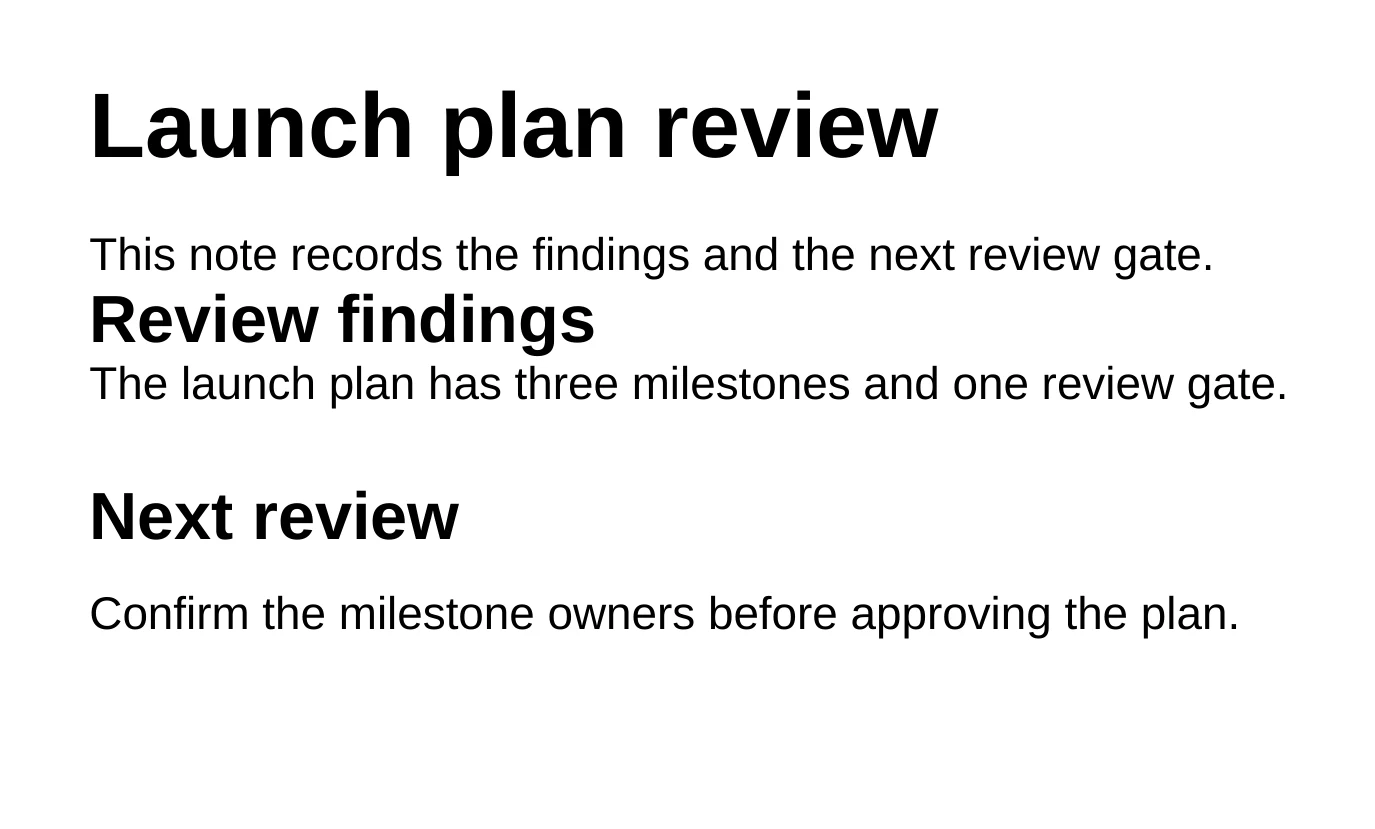
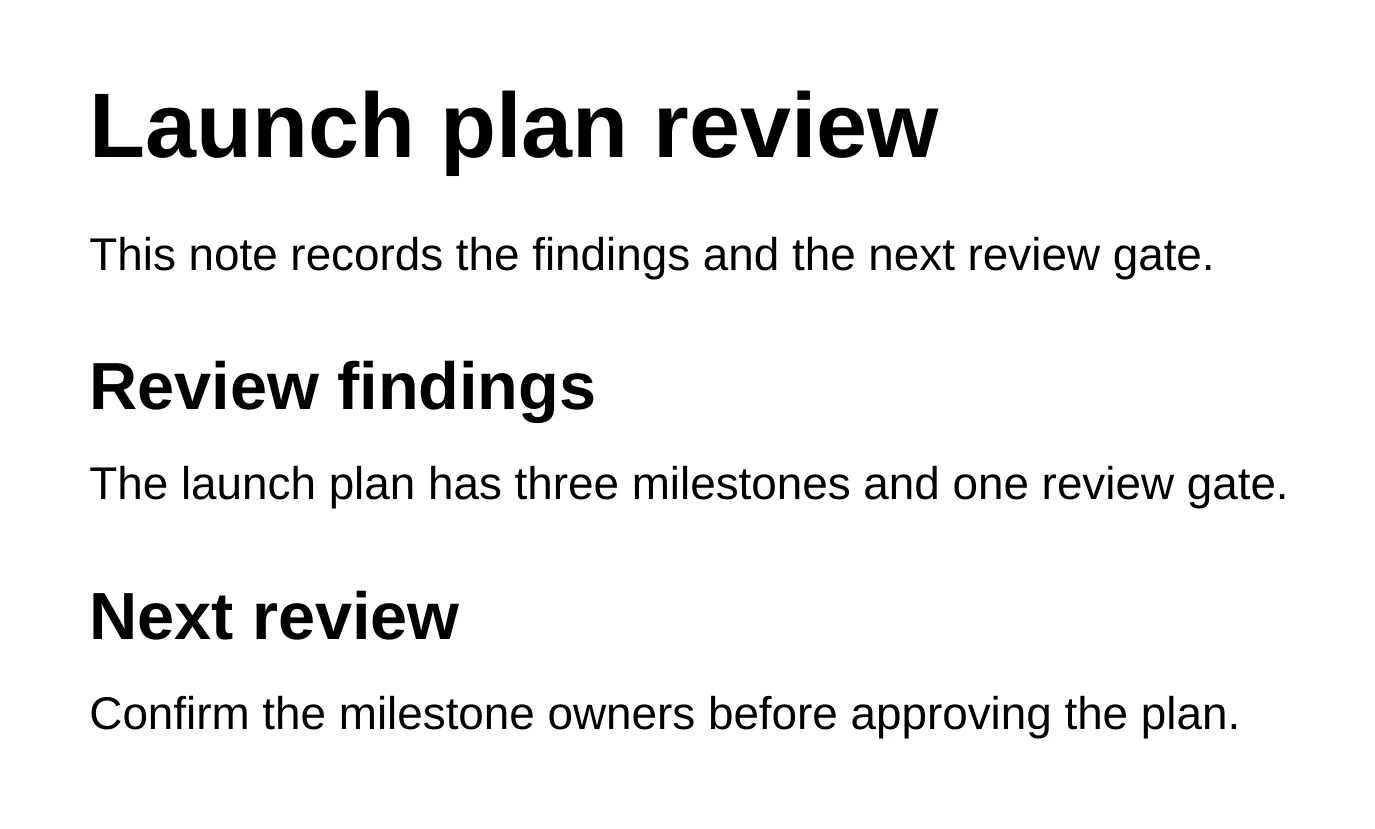
Nothing changes behind your back. Before the agent edits, Nebula saves a restore point. When it finishes, a review bar appears. Inspect changes shows each change with its Before and After. Keep keeps the edit, and Discard puts the file back exactly as it was. History lets you compare and restore earlier versions of a file any time.
Try a first request on a file of your own:
Prompt
Look at @report.docx and list headings that use a different style from the
others, paragraphs with uneven spacing, and tables wider than the page.
Don't edit the document yet.
Free to start
| Microsoft 365 | Nebula Writer | |
|---|---|---|
| Where your files live | Often OneDrive or SharePoint | A folder on your computer |
| Word, Excel and PowerPoint files | Yes | Yes, edited in place |
| AI that edits the file | Copilot, with a Microsoft 365 plan | Included, with a monthly AI allowance |
| Price to edit | Subscription for the desktop apps | Free forever; Pro is $25 a month for more AI |
| Platforms | Windows, macOS, web, mobile | macOS (Apple silicon), Windows, Linux |
For a detailed comparison, see Nebula Writer vs. Microsoft 365 Copilot.
What to know before you switch
We'd rather you switch knowing the limits:
- Nebula doesn't replace Outlook or Teams. It's an editor for your documents. Keep a second way to reach your team if email and chat both run on Microsoft 365.
- The AI agent runs in the cloud. It needs an internet connection, and your request and the parts of your documents the agent needs are sent to our servers and our AI provider. Your files stay in your folder.
Break free in three steps
- Bring your files home. In OneDrive, right-click your working folder and choose Always keep on this device, or download it to a folder on your computer.
- Download Nebula Writer and choose Open Folder.
- Open a document and ask the agent for your first change. Review it, then choose Keep or Discard.
The next outage is a matter of when, not if. When it comes, your documents will be in your folder.
Break free from Microsoft. Download Nebula Writer.
Questions
What caused the Microsoft 365 outage on November 12, 2026?
Microsoft says a problem introduced during an earlier network capacity upgrade surfaced after a more recent network change. Servers became unexpectedly unavailable, which overloaded the rest of the infrastructure. Microsoft says it was not a cyberattack. A full post-incident report has not been published yet.
Can I edit Word, Excel and PowerPoint files without Microsoft 365?
Yes. Nebula Writer opens and saves .docx, .xlsx and .pptx files in a folder on your computer, and the editor is free. Its AI agent can make changes inside the file, and you review each edit before keeping it.
Will my files still open in Microsoft Office?
Yes. Nebula Writer saves ordinary .docx, .xlsx and .pptx files, so anyone with Word, Excel, PowerPoint or LibreOffice can open them. Complex layouts can look slightly different between apps.
Does Nebula Writer work during a Microsoft outage?
Nebula Writer doesn't use Microsoft's services, so your local files don't depend on SharePoint or OneDrive being up. The AI agent runs on our own cloud service and needs an internet connection.
Related
- Edit a Word document without Microsoft 365
- Edit Excel and PowerPoint files without Office
- Nebula Writer vs. Microsoft 365 Copilot
Microsoft, Microsoft 365, Word, Excel, PowerPoint, Outlook, Teams, SharePoint, OneDrive and Copilot are trademarks of Microsoft Corporation; Nebula Writer is not affiliated with Microsoft.