Engineering
Why our agent edits Office files with native operations
Typed edit operations instead of throwaway scripts: how the Nebula agent changes only the part of a Word, Excel or PowerPoint file you asked about.
- Nebula Writer Team
- October 14, 2026
- 9 min read
An AI agent can change a Word, Excel or PowerPoint file in two ways. It can write a small program that opens the file with a general library and saves it again, or it can call an edit operation that was built for that one kind of change. Nebula Writer uses the second approach: more than a hundred typed operations, implemented in the app's Rust code, each one checked before it writes.
How general coding agents edit Office files
General coding agents such as Claude Code and OpenAI's Codex CLI have no built-in Office tool. They give the model a shell and file editing. Office support comes from optional skills: folders of instructions and helper scripts the agent can load when a task needs them.
As of October 2026, Anthropic publishes the document skills it uses for this in its skills repository (the docx, pptx and xlsx folders are source-available). They describe a clear split:
- Word: new documents are written with a script using the
docxJavaScript library. Existing documents are edited by unzipping the file, editingword/document.xmlas text and zipping it again, because that library "cannot open existing files". Reading goes through pandoc. - PowerPoint: new decks come from a
pptxgenjsscript. Existing decks are edited by unzipping, editingppt/slides/slideN.xmland zipping again, with helper scripts for jobs like duplicating a slide. - Excel: creating and editing use
openpyxl, bulk data usespandas, and LibreOffice recalculates formulas and renders pages for a visual check.
OpenAI's curated Codex skills, published in the openai/skills repository (which OpenAI now marks as deprecated in favour of its plugins repository), take a similar route: python-docx with a bundled render script for Word, and openpyxl with pandas for spreadsheets.
This works well for many tasks. A script can do anything the library can do, which suits new files built from data, batch jobs and one-off transforms. If your job is generating a few hundred invoices from a CSV (an example), a script is the better tool.
The skills are also candid about where the approach gets hard. Some of their own warnings:
- Word "splits text across many
<w:r>runs", so "a phrase you can see in the document often doesn't exist as a contiguous string in the XML". The skill ships a script to merge runs before editing. - openpyxl "writes formulas as strings with no cached values", so every formula reads back empty until LibreOffice recalculates the file.
- A workbook that links to another file "loses those links" if it is re-saved with openpyxl and then recalculated.
- In python-pptx, setting
text_frame.text"collapses the paragraph to a single unstyled run".
Each warning describes what happens when a general library rewrites a file it only partly models, and the skills work around each one with care. We wanted the agent to avoid needing those workarounds at all.
How Nebula does it instead
In Nebula Writer the agent changes files through one edit tool. Its operation list in src-tauri/src/unified_tools.rs names 109 operations: 37 for Word, 40 for PowerPoint and 24 for spreadsheets, plus a few for plain text and citations. A sample:
| Format | Example operations |
|---|---|
| Word | format_paragraph, docx_replace_text_range, insert_table_row, add_comment, accept_revision, add_page_numbers |
| PowerPoint | pptx_move_shape, pptx_set_text, pptx_update_chart, pptx_set_notes, pptx_duplicate_slide |
| Excel | set_formula, format_cells, merge_cells, freeze_panes, add_chart |
Each operation has a fixed shape. To format a cell, the agent sends something like {"type": "format_cells", "startRow": 3, "startCol": 1, "format": {"numberFormat": "0.0%"}}. Native code finds the cell and writes only what has to change.
The catalog the agent reads states the policy in so many words: native operations first, no external Office adapters, and Python only "when the required work is impossible with native operations".
Script path: general coding agents with document skills
1
The model writes a script
python-docx, openpyxl, python-pptx, docx or pptxgenjs, or edits to the raw XML.
2
A library rewrites the file
Each library keeps what it understands of the format.
3
Render and check
A LibreOffice render, a formula recalculation, a validation script.
Operation path: Nebula Writer
1
The model calls a typed operation
For example format_cells with a number format.
2
Native code checks and applies it
Unknown or malformed operations are rejected before anything is written.
3
A reviewable change
Inspect changes, then Keep edit or Discard edit.
Both paths can render the saved file afterwards to check it.
What validation means here
Every operation is parsed into a typed Rust value before anything touches the file. An operation with an unknown type, or fields of the wrong kind, fails at that step, and the agent gets the error before any write. The risk we care most about is a silently ignored field. The code keeps a comment about one such bug: an example once used fontWeight: "bold", the formatter only read bold, and the edit became "a successful no-op". The spreadsheet formatter now refuses to turn "a misspelling, null, or type error" into that kind of no-op, and on our development branch the same rule is being extended to every Office operation.
Several operations also check the source. docx_replace_text_range needs the exact text it expects to replace at the given offsets; if the paragraph has changed, the edit is refused. The bulk formatting operations need a fingerprint of the file from a preview read and refuse to run if the file changed since. When Nebula saves a Word file, it writes a temporary file and then swaps it into place. For edits bound to a fingerprint, it first checks that the original has not changed underneath it.
Some edits are refused on purpose. A Word text range that crosses a field, a tracked revision or content the code does not model is rejected "without fallback".
Reusing the styles already in the file
Damage from a rewrite is often quiet: a paragraph loses its formatting, or a duplicate style appears. The operations are written to keep what is there:
- Word text replacement keeps direct run formatting, and a replaced range takes the properties of the first run it replaces. This is the run-splitting problem from above, handled in the operation instead of in the model's script.
- The Word layout pass lets existing document styles win by default.
pptx_update_tablekeeps the table's position and style, andpptx_update_chartkeeps the chart's frame and its inherited series colors.- Excel formatting-only edits keep the original package parts and formula caches. The cached values openpyxl drops stay in the file.
What "only the requested part changed" looks like
On October 3, 2026 we ran the agent on three sample files we built for testing, each with one known problem (full write-up). Here is what changed inside each file.
Word: a cramped heading
Only word/document.xml changed. Inside it, one <w:spacing> element on the heading went from before="0" after="0" to before="320" after="160", which is 16 pt above and 8 pt below. Wording, fonts and every other paragraph stayed the same.
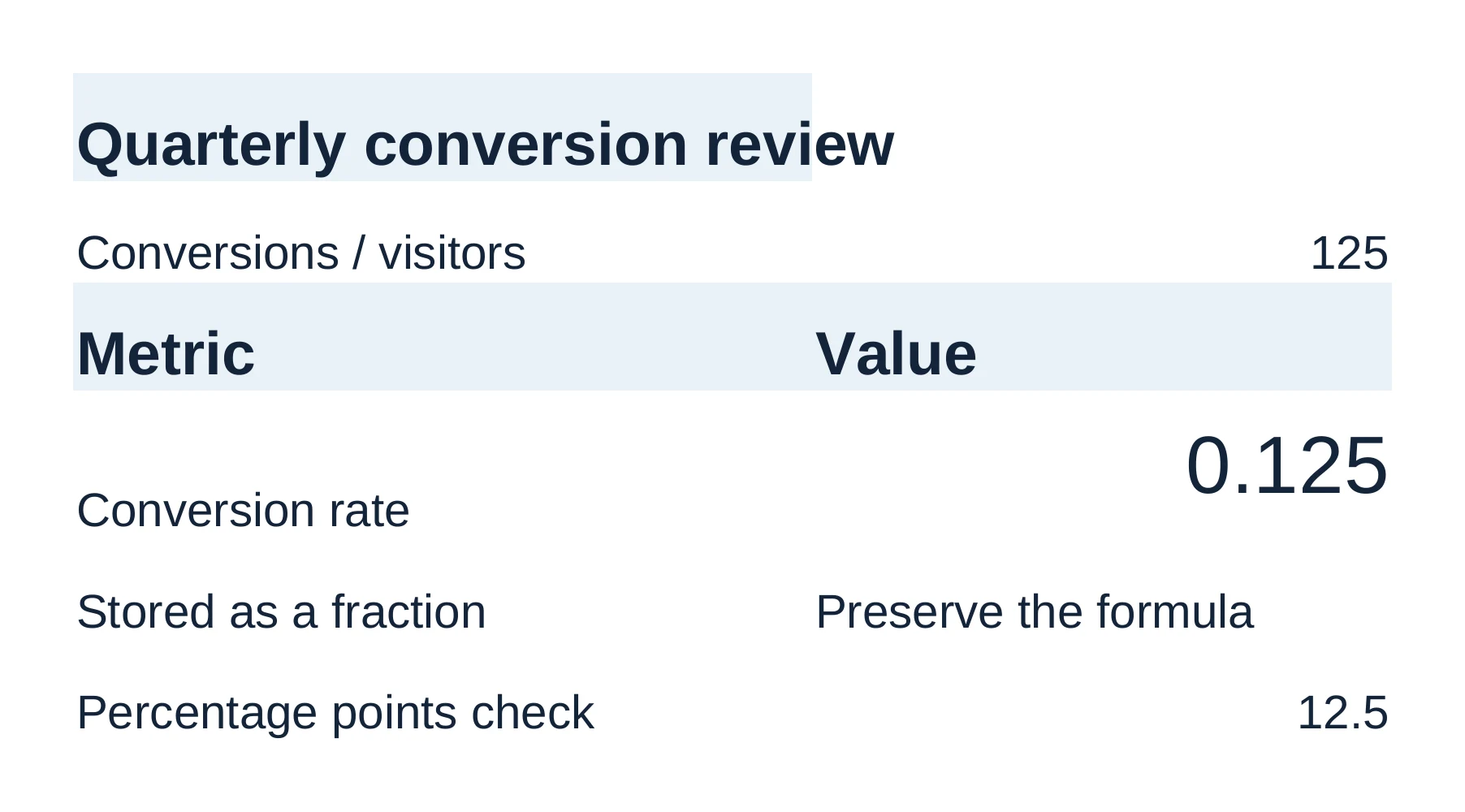
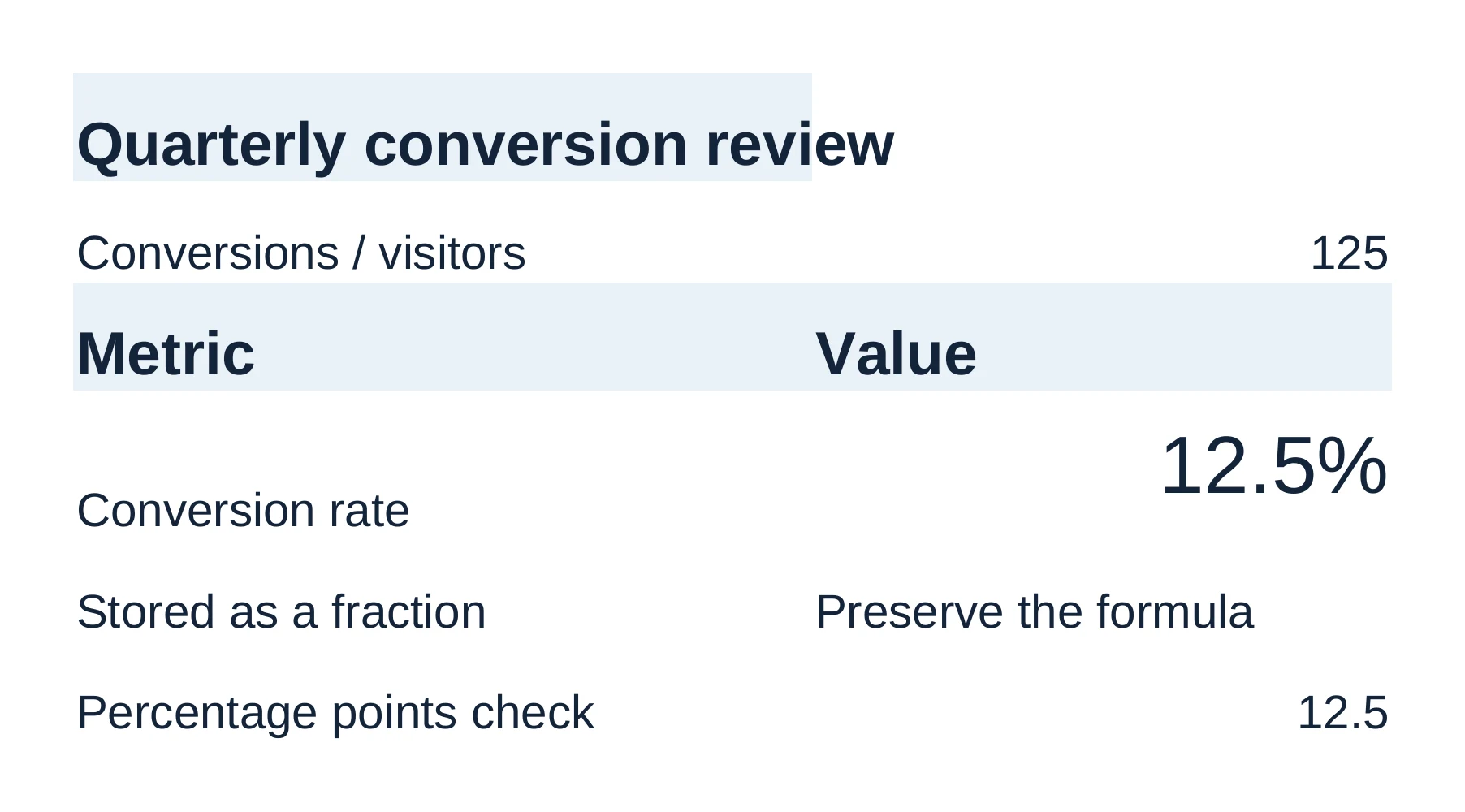
Excel: a rate shown as 0.125
Only two parts changed: xl/styles.xml and the sheet. Every other part of the package is byte-identical. In the sheet, cell B4 now points at a new cell style. In the styles part, that new style is a copy of B4's old style (same font, same right alignment) with one difference: the number format 0.0%. The old style is still there for any other cell that uses it. The formula =B2/C2 and the stored value 0.125 did not change.
PowerPoint: overlapping text
This one needs a precise answer. The PowerPoint package was rewritten on save, so the raw bytes of every part differ. Small things changed, like <a:srgbClr val="FFFFFF" /> becoming <a:srgbClr val="FFFFFF"/>. After normalizing the XML, ppt/slides/slide1.xml is the only part whose content changed, and in it one value moved: the body text box's vertical offset. Slide 2 is untouched.
Turning each run into reviewable changes
Because the agent's edits are typed, the app knows what each one did. Before the review bar appears, Nebula Writer turns a run into a list of changes you can read in Inspect changes:
- Word: the app compares the document model before and after and groups changes by paragraph, table cell or image, each with its Before and After text (
apps/nebula-next/utils/docxReviewChanges.ts). - PowerPoint: each operation reports the slide, the shape and the old and new text. The app labels it as a content, layout, formatting or data change (
apps/nebula-next/utils/pptxReviewChanges.ts). - Excel: each operation reports the cells, ranges, formulas or sheet changes it made, and the app counts them as cell edits, format updates and structural changes (
apps/nebula-next/components/spreadsheet/spreadsheetAgentDiff.ts).
You can read every change, but Word, Excel and PowerPoint edits are kept or discarded as one decision, with Keep edit or Discard edit. The review code marks each of these changes to resolve through the file's backup. For PowerPoint it gives the reason: undoing a single change is "not yet guaranteed". Change-by-change accept and reject is for Markdown, LaTeX and plain text.
Discard restores the bytes Nebula captured before the agent wrote, after checking that the file still matches the agent's result. Every change waits for your decision. Discard puts the file back exactly as it was. How that works is in how Discard puts a file back byte for byte, and the user side is in the review and history guide.
Visual checks
After an appearance edit the agent can render the saved file and look at it. For PowerPoint, the renderer converts the saved file with a local LibreOffice installation and rasterizes the requested slide. If LibreOffice is not installed, the app says so and asks you to install it to render slides. The code's own description is blunt: the result is "an approximation of PowerPoint's appearance, never a claim of pixel-identical fidelity".
The trade-offs
A fixed operation set has real costs, and we would rather name them:
- It can't do everything. If no operation covers a feature, the agent can't edit it natively, and some edits are refused rather than attempted. A script with direct XML access can reach parts of a file our operations don't model.
- One decision per Office edit. You can inspect each change in a Word, Excel or PowerPoint edit, but you keep or discard the whole edit.
- Renders are approximations. A LibreOffice render is not Word or PowerPoint. Check complex files in Office before you send them.
- We have to build each operation. Every new kind of edit is engineering work on our side, where a script-based agent gets it from the library for free.
For new files from scratch or batch jobs, a coding agent with document skills may be the better choice. For changing one heading, cell or text box in a file someone else made, we chose typed operations. See the Word editing guide and the AI presentation editor for what the agent can change in each format.